How Phishing Threatens Small Businesses?
Posted on : 23 Sept 2025 at 13:06 pm, by Puneet Aggarwal, Founder 7 dot 2 IT Consulting
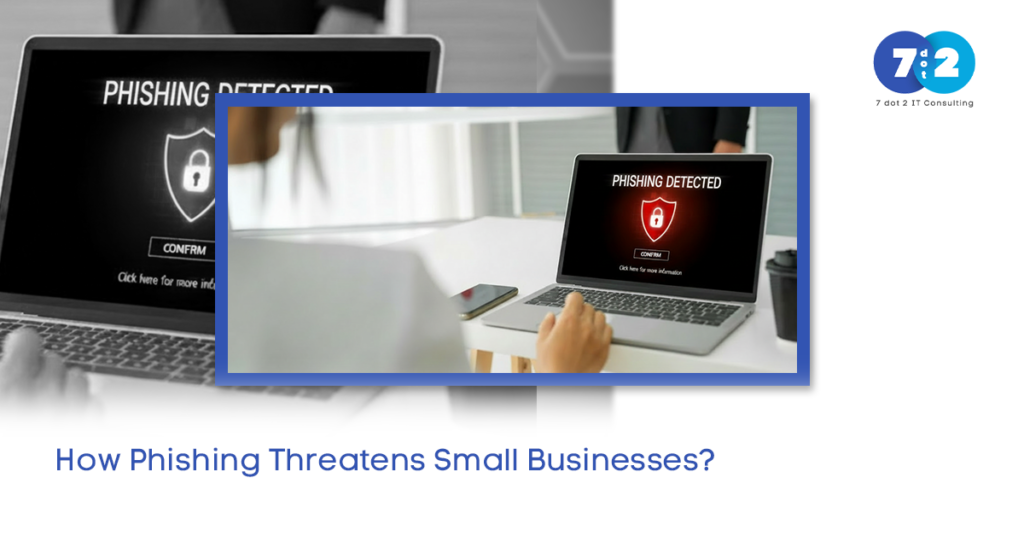
Phishing is considered one of the most widely spread and hazardous cyber risks for small firms, which are currently encountering issues with cybersecurity attacks. This involves fraudulent forms of electronic communication intended to trick people into surrendering sensitive information to cyber attackers through malware download and giving unauthorized individuals entry into computer networks and systems. It is based entirely on human error rather than vulnerabilities in systems.
Due to their weak security infrastructure and lack of in-house IT security experts, small businesses are particularly susceptible to attack and are often the favorite target of cybercriminals. Let’s discuss how phishing works and the various forms of phishing you absolutely need to know about for strong SMB cybersecurity.
Table of Content
- What Is Phishing and How Does It Occur?
- Common Phishing Techniques
- Building SMB Cyber Resilience
- How does phishing usually happen in small businesses?
- Conclusion
- Frequently Asked Questions (FAQs)
What Is Phishing and How Does It Occur?
Phishing is a social engineering attack in which cybercriminals pose as an individual or company that their victim knows and trusts. The goal is to trick the victim into taking action(s) that will compromise their cybersecurity. Victims can either click on malicious links, enter their user credentials into counterfeit websites, or open infected attachments.
Cybercriminals obtain information about their victims from publicly accessible sites, such as social media. They then send phishing communications through email, SMS, chat, phone calls, or other communication methods that appear to be either urgent or normal.
Common Phishing Techniques Affecting SMBs Today
1) AI-Powered Phishing Attacks
AI-driven phishing with the use of machine learning-aided attacks builds highly realistic emails. The grammar of such messages is just perfect, the content is topical, and even personal details may be included, pulled from social media or a breach.
For a small business, this might take the form of an email referencing an actual project, client, or internal tool. Because the message is expected, employees are much more likely to trust it.
2) Deepfake Vishing and Voice Phishing Scams
Deepfake vishing extends the concept of phishing beyond email. Attackers make use of AI-generated voice clips to impersonate business owners, executives, or vendors.
A very common example is the pretended call of urgency from a company’s owner requesting a wire transfer or gift cards. This is particularly dangerous within small teams when people know each other’s voices.
3) QR-Code Phishing (Quishing)
QR-Code Phishing or Quishing allows attackers to use QR codes as an alternative to links. When an employee uses the QR code located in a fake invoice, flyer, or signature to reach the attackers’ website, they are brought right into the attackers’ domain.
Business Owners of SMBs may not be aware of the risk of these methods because QR codes do not go through traditional email spam filters. Additionally, once a user scans the QR code, they may be prompted to enter credentials for Microsoft 365 or Google Workspace.
4) MFA Fatigue Attack
Multi-factor authentication is a good idea; however, attackers have found ways of working around it. As such, attackers will create login attempts and send a user numerous MFA requests. Eventually, the user will become frustrated with all the requests and approve one, giving the attacker access.
Some employees of small businesses may not even pay attention to the multiple requests and approve the MFA requests because they are multitasking or under pressure.
5) Polymorphic Phishing Campaigns
Polymorphic Phishing Campaigns are phishing campaigns that create a plethora of different emails, changing email content, sender, and link with every attempt, diminishing the effectiveness of signature-based security tools.
SMBs that only implement simple email-securing methods will not detect these constantly shifting email addresses.
6) Vendor Email Compromise (VEC)
Vendor Email Compromise (VEC) targets known third-party vendors. Attackers will hijack a vendor’s email account and pretend to send false payment instructions or request documents.
Small businesses typically work closely with contractors and vendors; the regularity of these types of attacks does not cause much of a red flag to the employee performing duties relative to these attacks.
Building SMB Cyber Resilience Against Phishing
Lean SOC Solutions for Small Businesses
A comprehensive security operations center may not be feasible for most SMBs. Lean SOC solutions enable monitoring, notification, and response without enterprise pricing.
These capabilities help identify malicious activity before phishing leads to a breach.
Zero-Trust for Small Business Environments
Zero-trust for small businesses revolves around one concept: never trust by default. Each login, device, and request is authenticated.
This restricts attackers’ lateral movement, even if credentials obtained through phishing are compromised. For small businesses, zero-trust does not have to be complicated or costly to implement.
How Phishing Usually Happens in a Small Business
- A user is sent a convincing email, phone call, or QR code.
- The communication is urgent or familiar.
- Credentials, money, or access are shared.
- The attackers gain lateral access or escalate privileges.
- The business is notified after the damage is done.
Conclusion
Phishing attacks are rapidly evolving, and small businesses can’t just depend on simple solutions. From AI phishing attacks to vendor email compromise, the current phishing threat demands a smarter and more layered approach.
7 dot 2 IT Consulting assists small- to medium-sized businesses in developing true cyber resilience through effective security strategies, lean SOC solutions, and zero-trust models tailored to small-business environments. Rather than waiting to respond to a phishing attack, 7 dot 2 proactively prevents phishing before it impacts your business.
Is phishing a problem? It’s time to improve your defenses.
Frequently Asked Questions (FAQs)
Q1) What are the 4 P’s of phishing?
A) The four Ps of phishing are a description of a typical phishing scam pattern: Pretend, Problem, Pressure, and Pay. Scammers pretend to be a trusted party, pose a problem such as a locked account, apply pressure to act quickly, and then request payment or personal information, such as passwords or verification codes, to resolve the problem.
Q2) What are the 5 key signs of phishing?
A) Some common examples of red flags include urgent or threatening language, unexpected requests for login information or payments, suspicious links or attachments, sender addresses that don’t quite match the organization, or messages that don’t follow the normal business process.
Q3) What are three common types of phishing attacks?
- Email phishing: The most widespread form, where attackers send fake emails that appear legitimate and include malicious links or attachments.
- Spear phishing: A targeted attack aimed at a specific person or role, using personal or business details to appear credible.
- Smishing and vishing: Smishing delivers phishing messages through SMS, while vishing uses phone calls to manipulate victims into sharing information or making payments.
Q4) Is phishing only an email threat?
A) No. Phishing includes SMS, phone calls, QR codes, collaboration tools, and social media messages.